Volkswagen Golf Service & Repair Manual: Removing and installing vibration damper
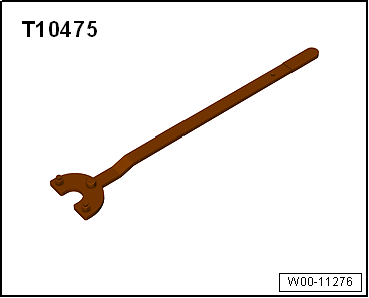
| Special tools and workshop equipment
required |
|
|
|
| – |
Remove noise insulation
→ General body repairs, exterior; Rep. gr.66. |
| – |
Remove poly V-belt
→ Chapter. |
|
|
|
| – |
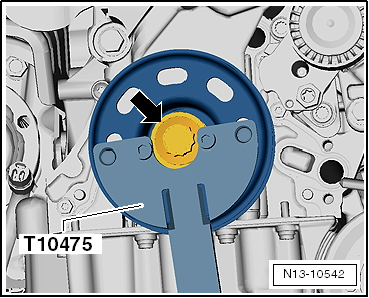
Loosen bolt -arrow- for
vibration damper using counterhold -T10475-. |
| – |
Unscrew bolt and remove vibration damper. |
Risk of damage to engine caused by incorrect valve timing.Do not turn
crankshaft out of TDC position.
 Note Note
| Renew bolts that are tightened with specified tightening
angle. |
| All contact surfaces between bolt, vibration damper and
crankshaft pulley must be free of oil and grease. |
|
|
|
| – |
Fit vibration damper, oil threads of bolt for vibration
damper and screw it in as far as stop by hand. |
| – |
Tighten bolt -arrow- for
vibration damper using counterhold -T10475-. |
| Further installation steps are carried out in the reverse
order; note the following: |
| – |
Install poly V-belt
→ Chapter. |
| → Chapter „Assembly overview - poly V-belt drive“ |
|
|
|
Removing
–
Remove poly V-belt from tensioner
→ Chapter „Removing and installing poly V-belt, vehicles with
air condi ...
Removing
–
Disconnect battery
→ Electrical system; Rep. gr.27.
–
Remove battery tr ...
© 2016-2026 Copyright www.vwgolf.org


 Removing and installing tensioner for poly V-belt, vehicles with air
conditioner compressor
Removing and installing tensioner for poly V-belt, vehicles with air
conditioner compressor Removing and installing engine support