
Volkswagen Golf Service & Repair Manual: Removing and installing data bus diagnostic interface -J533-
 Note Note
|
|
|
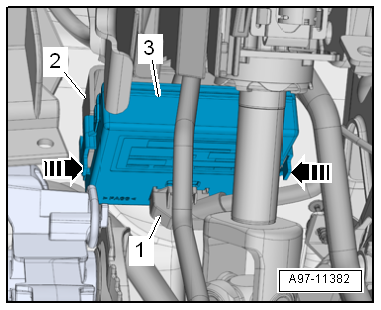
 Removing and installing onboard supply control unit -J519-, RHD vehicles
Note
When renewing the control unit, select
Renew function for the respective control unit in
Guided fault finding or
Guided functions mode
&# ...
 Removing and installing bracket for onboard supply control unit -J519-, LHD
vehicles
Removing and installing bracket for onboard supply control unit -J519-, LHD
vehicles
Removing
–
With ignition switched off, disconnect earth cable from
battery
→ Chapter.
– ...
Other materials:
Changing headlights over from driving on left to driving on right (gas
discharge headlights)
If a right-hand drive vehicle is driven in a left-hand drive
country, or vice versa, the headlights must be converted. This
is necessary in order to avoid dazzling oncoming traffic with
the asymmetric low beam headlights.
Note
...
Removing and installing key-operated switch to deactivate front
passenger airbag
Removing
–
Switch off ignition.
–
Remove side dash panel cover
→ Chapter.
–
Press locking detent -1- in
-direction o ...
Identification markings on the tyre sidewall, standard tyres
Example: Continental ContiPremiumContact 2
1 -
Size code
e.g. 205/55 R 16
→ Anchor
2 -
Position of TWIs (Tread Wear Indicators)
3 -
Manufacturer (trade name)
...
