Volkswagen Golf Service & Repair Manual: Removing and installing upper steering column trim
| Special tools and workshop equipment
required |
|
|
|
| |
|
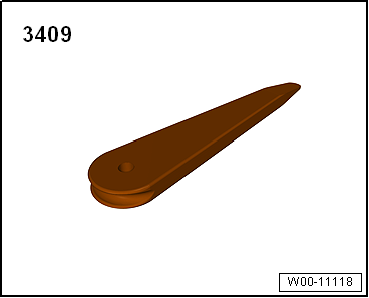
Removal wedge -3409- |
| – |
Release locking lever of steering wheel positioner. |
| – |
Pull out steering wheel completely, push it down and fix it
in place. |
| – |
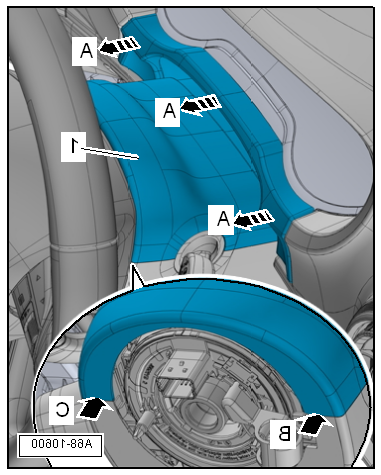
Release gap cover for dash panel insert from mountings on
dash panel insert -arrows A- using
removal wedge -3409-. |
| – |
Release upper steering column trim -1-
from mountings of lower steering column trim
-arrow B- and
-arrow C-. To do this, turn steering wheel accordingly. |
| – |
Detach upper steering column trim from lower steering column
trim and remove it together with gap cover for dash panel
insert. |
 Note Note
| Before installing, check all fasteners for damage and renew
if necessary. |
| Installation is carried out in reverse order. |
|
|
|
Special tools and workshop equipment
required
Removal wedge -3409-
...
Special tools and workshop equipment
required
Torque wrench -V.A.G 1783-
...
© 2016-2026 Copyright www.vwgolf.org


 Removing and installing dash panel insert trim
 Removing and installing lower steering column trim