Volkswagen Golf Service & Repair Manual: Removing and installing brake pads, front brakes PC57 and C60
| Special tools and workshop equipment
required |
|
|
|
| Torque wrench -V.A.G 1331- |
|
|
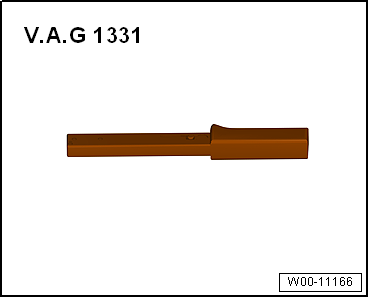
|
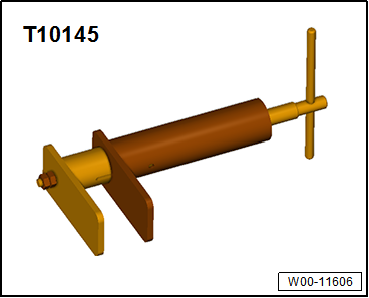
| Piston resetting appliance -T 10145- |
 Note Note
| Mark brake pads/linings when removing if they are to be
reused. Fit in same position when installing, or braking will be
uneven. |
| – |
Disconnect connector for brake pad wear indicator. |
| The brake pad wear indicator is installed on front right. |
|
|
|
| – |
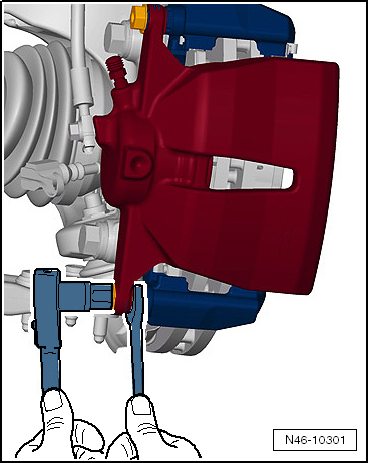
Unscrew both securing bolts from brake caliper,
counterholding on guide pin. |
|
|
|
| – |
Apply a thin coat of lithium grease G 052150 A2 to brake pad
guide surfaces on brake carrier. |
|
|
|
| – |
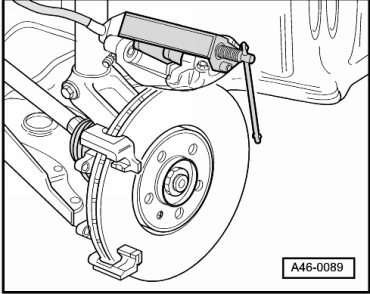
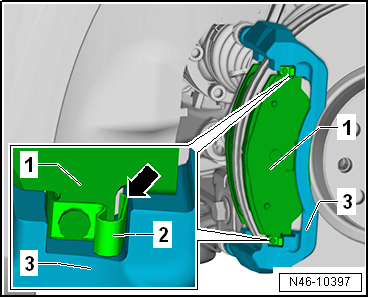
Place brake pads -1- together
with retaining springs -2- in
recess of brake carrier -3-. |
Note
| After fitting brake pads, check that all retaining springs
-2- are properly seated
-arrow-. |
| – |
Carefully place brake caliper on brake carrier. |
|
|
|
| – |
Secure brake caliper to brake carrier with new self-locking
bolts, counterholding on guide pin. |
| – |
Connect brake pad wear indicator connector. |
| → Chapter „Assembly overview - front brakes PC57 and C60“ |
| Wheel bolts
→ Running gear, axles, steering; Rep. gr.44. |
Note
| After every brake pad change, depress brake pedal firmly
several times with vehicle stationary, so that brake pads are
properly seated in their normal operating position. |
| Check brake fluid level after changing brake pads. |
|
|
|
Special tools and workshop equipment
required
Torque wrench -V.A.G 1331-
...
Special tools and workshop equipment
required
Torque wrench -V.A.G 1331-
...
© 2016-2026 Copyright www.vwgolf.org


 Removing and installing brake pads, FS III front brake
 Removing and installing brake caliper, FS III front brake