Volkswagen Golf Service & Repair Manual: Removing and installing battery tray
| Special tools and workshop equipment
required |
|
|
|
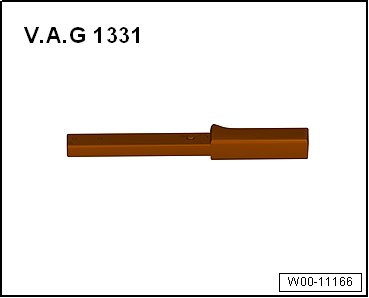
| Torque wrench -V.A.G 1331- |
| – |
Remove air filter housing
→ Rep. gr.23. |
| Continued for all vehicles |
| – |
Removing battery -A-
→ Chapter. |
|
|
|
| – |
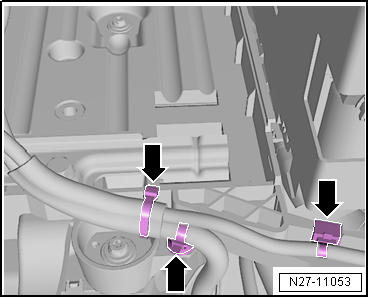
Lay wiring harness on battery tray
-arrows- to one side. |
|
|
|
| – |
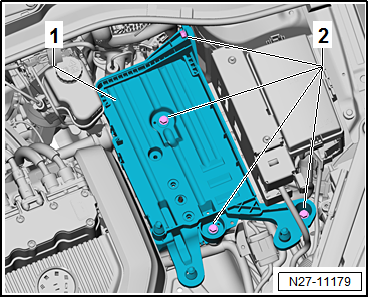
Remove battery tray -1-. |
| Install in the reverse order of removal, observing the
following: |
| → Chapter „Assembly overview – battery, vehicles without
high-voltage system“ |
|
|
|
Checking battery
| Checking battery
→ Electrical System, General Information; Rep. gr.27. |
| The battery -A- is monitored in the self-diagnosis function
by the data bus diagnostic interface -J533- in “Guided Fault
Finding” mode → Vehicle
diagnostic tester. |
|
|
|
| Charging battery
→ Electrical System, General Information; Rep. gr.27. |
|
|
|
Caution
Observe the following instructions and precautions
on safety when working on pyrotechnic components:
...
Special tools and workshop equipment
required
Torque wrench -V.A.G 1331-
Removin ...
Other materials:
Renewing bulb for glove compartment light -W6-
Note
If an LED glove compartment light -W6- is faulty, the entire
light must be renewed.
Removing
–
Remove glove compartment light -W6-
→ Chapter.
...
Overview of fitting locations - telephone system
1 -
Telephone microphone -R38-
In front interior light -W1-.
Removing and installing
→ Chapter
2 -
Control unit 1 for information electronics -J794-
In glove compartment.
...
Radiator fan control unit -J293
Note
Available in various designs, sometimes separately.
This control unit switches the magnetic clutch and thus the
air conditioner compressor on and off. It controls the radiator
fan, an ...
© 2016-2026 Copyright www.vwgolf.org


 Disconnecting and connecting battery, vehicles with high-voltage system
 Removing and installing earth wire with battery monitor control unit -J367-,
vehicles without high-voltage system
Removing and installing earth wire with battery monitor control unit -J367-,
vehicles without high-voltage system