Volkswagen Golf Service & Repair Manual: Connecting vehicle diagnostic tester Golf Model Year 1998 - 2003
| – |
Vehicles with automatic gearbox, move selector lever to
position “P” or “N”. |
| – |
Vehicles with manual gearbox, move gear lever to neutral
position. |
| – |
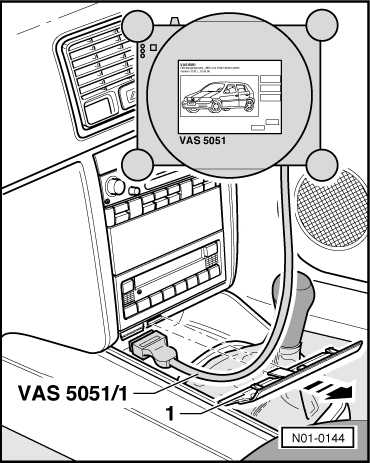
Pull out trim -1- in direction
of arrow. |
|
|
|
| – |
With ignition switched off, connect vehicle diagnosis tester
using diagnostic cable to diagnostic interface
-arrow- in vehicle. |
| – |
Switch off all electrical consumers. |
 Note Note
| All other and the following vehicle diagnosis, testing and
information systems or vehicle diagnostic and service
information systems are connected accordingly in the sequence
described above. |
|
|
|
Note
Observe the latest operating instructions for vehicle
diagnosis tester, which are displayed after selecting the
“Administration” and “Operat ...
© 2016-2026 Copyright www.vwgolf.org


 Connecting vehicle diagnostic tester