
Volkswagen Golf Service & Repair Manual: Removing and installing accelerator module -GX2-
|
|
|
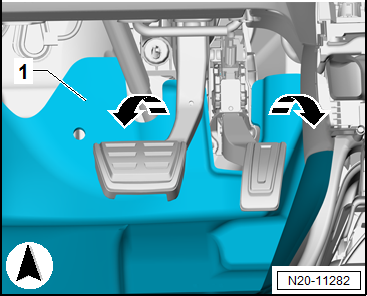
|
|
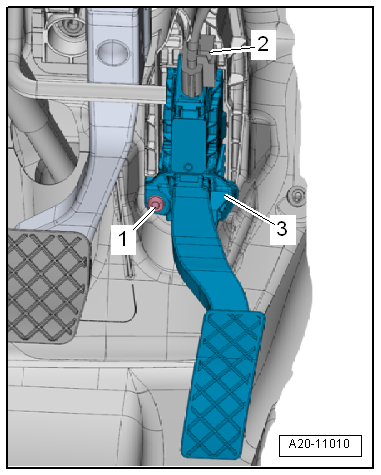
 Assembly overview - accelerator module
1 -
Bolt
6 Nm
2 -
Electrical connector
Make sure it is engaged properly; pull to check that plug-in
con ...
 Fuel pump
...
Other materials:
Assembly overview - rear parking aid, RHD vehicles
1 -
Electrical connector
2 -
Spreader clip
3 -
Rear parking aid warning buzzer -H15-
Removing and installing
→ Chapter
4 -
Spreader clip
5 -&n ...
Charging battery in maintenance mode with solar panel -VAS 6102A-
Solar panel VAS 6102A
General description:
Solar panel -VAS 6102A- supports onboard supply and prevents
spontaneous battery discharging.
Solar panel -VAS 6102A- achieves max. voltage of 14.3 V and
...
Battery with »enhanced« colour indicator
This is a maintenance-free battery with liquid electrolyte
(wet battery).
Caution
No stickers may be removed and do not replenish with
distilled water. Only perform a visual check. Refer to
...
