Volkswagen Golf Service & Repair Manual: Layout - infotainment system, Composition Touch and Composition Colour
version
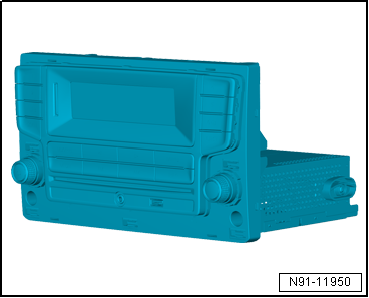
| Display unit for control device of front display and
information control panel -J685- |
| Features of infotainment system Composition Touch |
| 5-inch monochrome touch screen |
| AUX IN on front of unit via jack connector |
| Support for multifunction steering wheel |
| Self-diagnosis, including loudspeaker diagnosis |
| Speed dependent volume control (GALA) |
| Features of infotainment system Composition Colour |
| 5-inch multicolour touch screen |
| 2 or 4 x 20 watt output power |
| Integrated diversity function |
| AUX IN on front of unit via jack connector |
| Support for multifunction steering wheel |
| Self-diagnosis, including loudspeaker diagnosis |
| Speed dependent volume control (GALA) |
 Note Note
| When dealing with complaints it is absolutely necessary to
understand the functions and operation of the infotainment
system. |
| Additional information can be found in the
→ Operating manual. |
| Other systems in the vehicle are connected via CAN bus
(infotainment) and data bus diagnostic interface -J533-. |
| Fault finding is done via Guided fault
finding
→ Vehicle diagnostic tester. |
|
|
|
| Infotainment system overview |
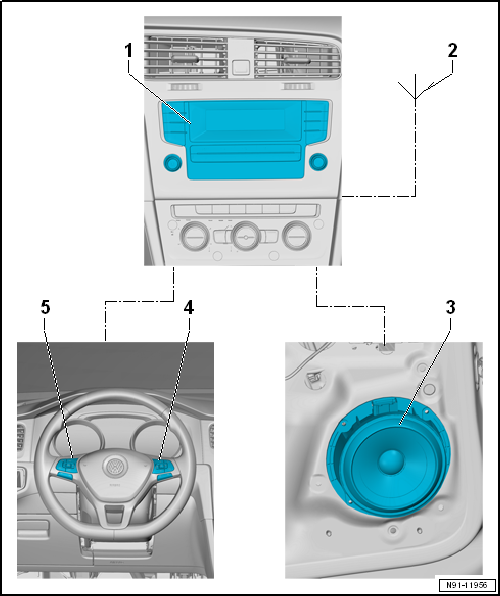
| 1 - |
Display unit for control device of front display and information
control panel -J685- |
| Combined with control unit 1 for information electronics -J794- |
| 4 - |
Multifunction buttons on right in steering wheel -E441- |
| 5 - |
Multifunction buttons on left in steering wheel -E440- |
Display unit for control device of front display and
information control panel -J685-
Features of infotainment system standard display
...
Control unit 1 for information electronics -J794-
Display unit for control device of front display and
information control panel -J685-
...
Other materials:
Removing and installing headlight main beam bulb -M30-/-M32- (LED)
Special tools and workshop equipment
required
Front-end hook -3370-
Torque wrench -V.A.G 1783-
...
Components of reversing camera system
The reversing camera system supports the driver during
reversing by providing the driver with an image of the traffic
situation behind the vehicle via display unit for control device
of front display and information control panel -J685-.
...
Reservoir
The reservoir collects the vaporised and gaseous mixture
coming from the evaporator to ensure the air conditioner
compressor receives only gaseous refrigerant. Gaseous
refrigerant is formed from the vapour.
Refrigerant oil flowing in the ...
© 2016-2026 Copyright www.vwgolf.org


 Layout - infotainment system, standard display version
 Layout - infotainment system, Composition Media and Discover Media version